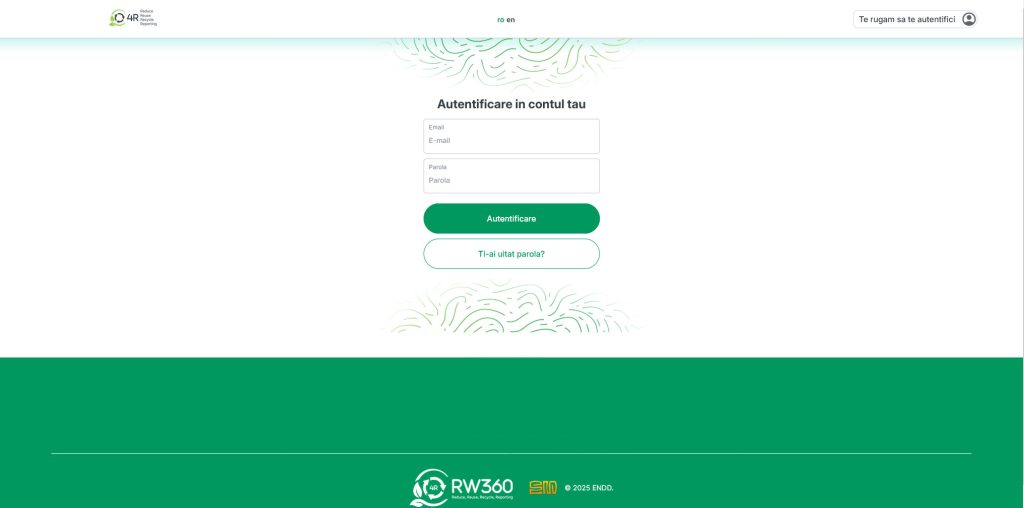
- Tap “Admin” in the main menu, then “Waste Management Companies”Log in
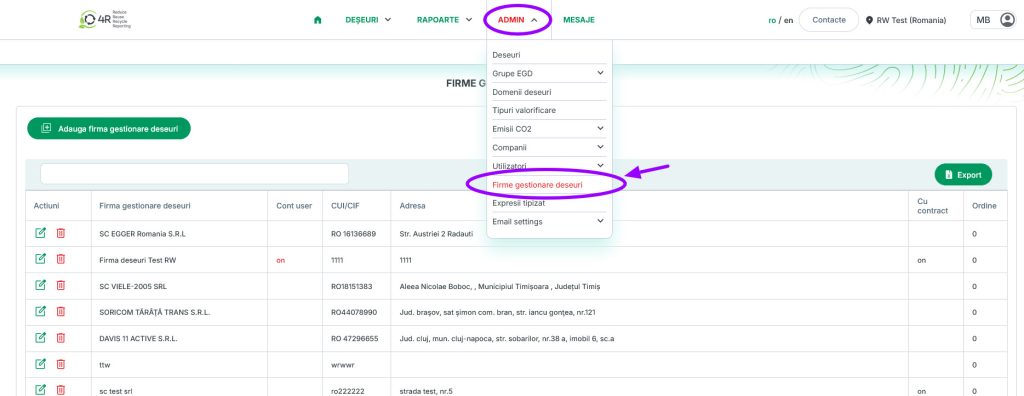
2.Tap “Admin” in the main menu, then “Waste Management Companies“
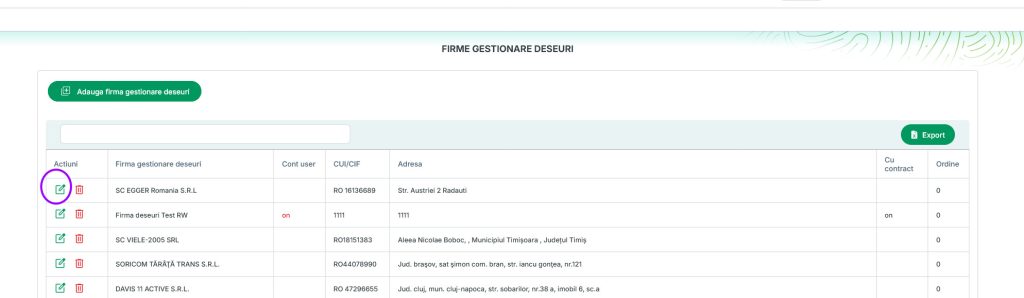
3.To edit a company’s data, click the green “Edit” button in the first column
4.On the edit page, you can make the following changes:
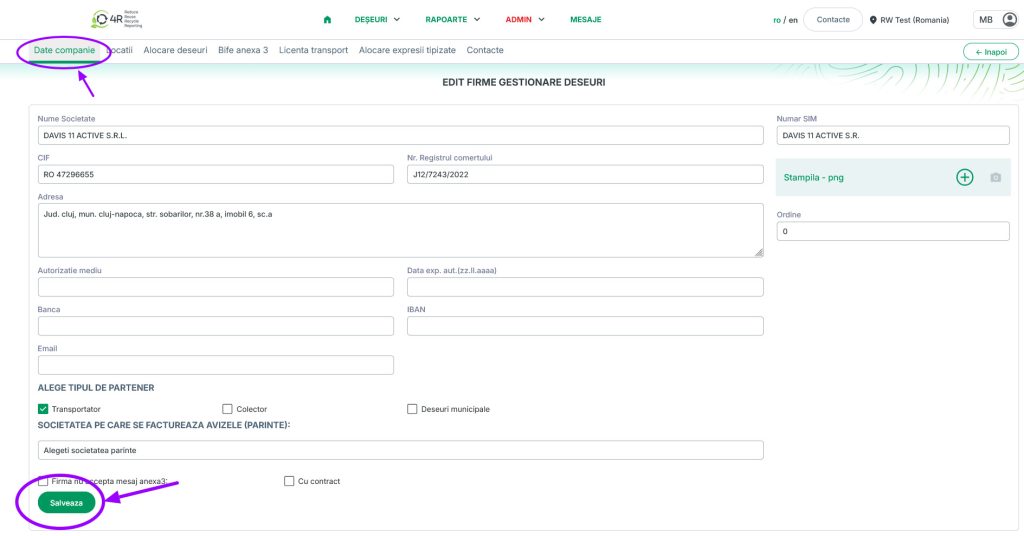
4.1.You can edit your company information, then be sure to save by clicking the Save button.
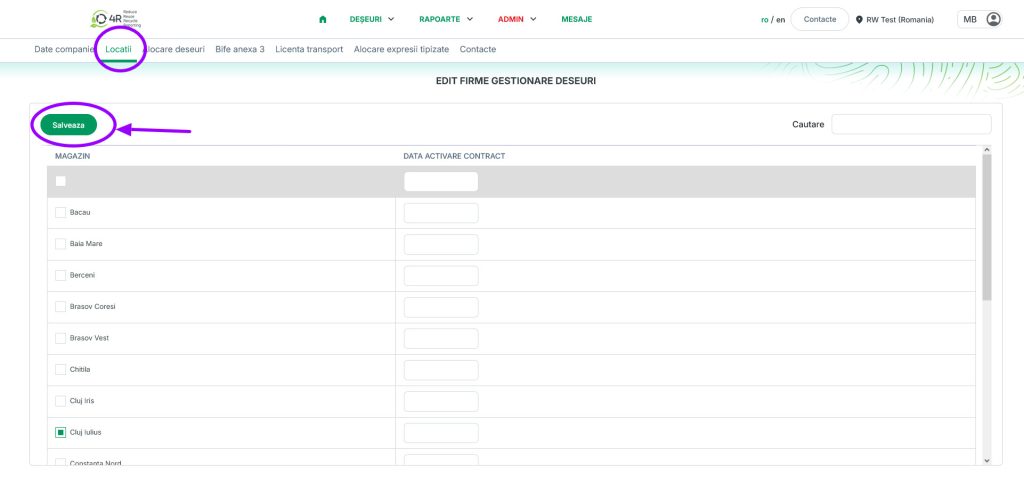
4.2.You can add locations from the Locations tab, then make sure to save by clicking the Save button.
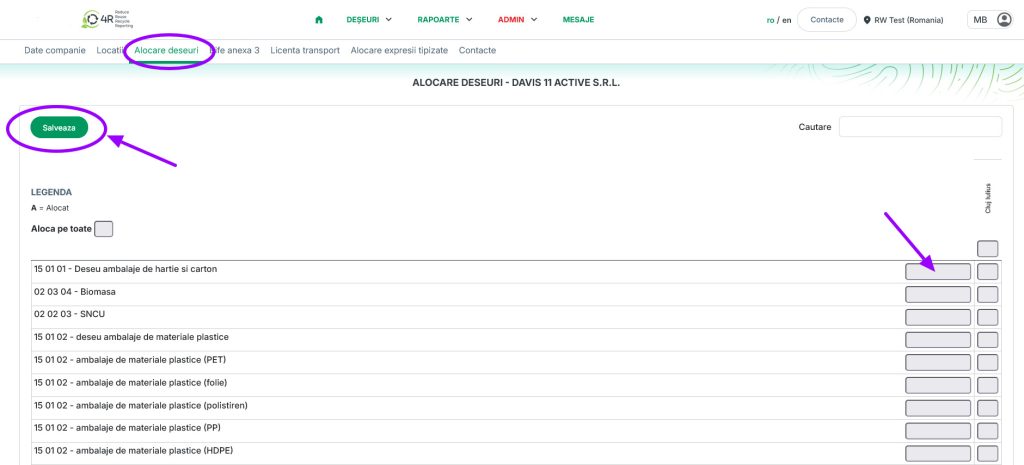
4.3.Assign the waste that the company can collect in the Waste Assignment tab, then be sure to save by clicking the Save button.
4.4.Enter the waste prices, then make sure to save by clicking the Save button.
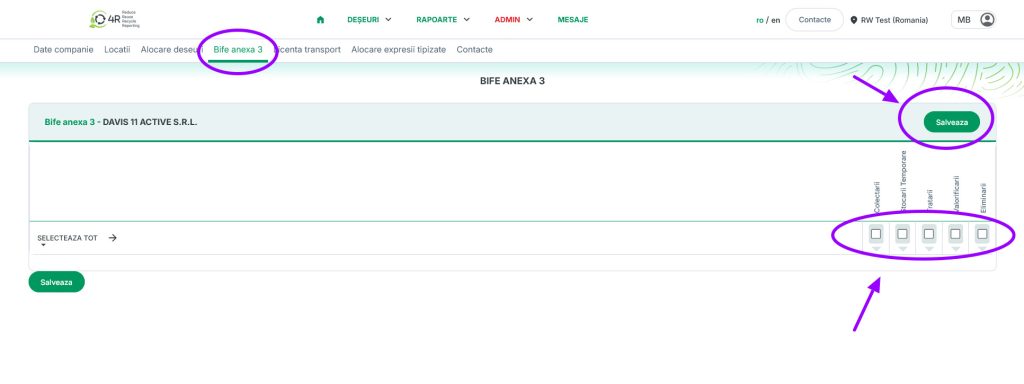
4.5.Check the boxes for Annex 3 in the “Check Annex 3” tab. Please save by clicking the “Save” button after you have checked the desired options.
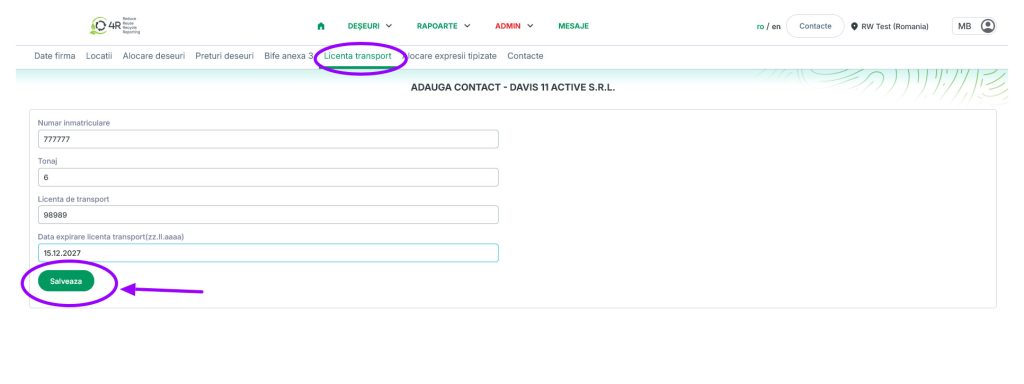
4.6.Enter the transport license details in the Transport License tab, then be sure to save by clicking the Save button.
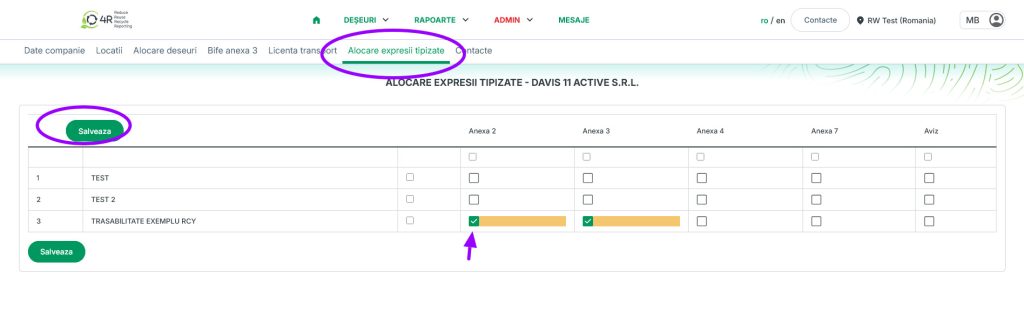
4.7.Check the typed expressions in the “Typed Expression Assignment” tab, then make sure to save by clicking the “Save” button.
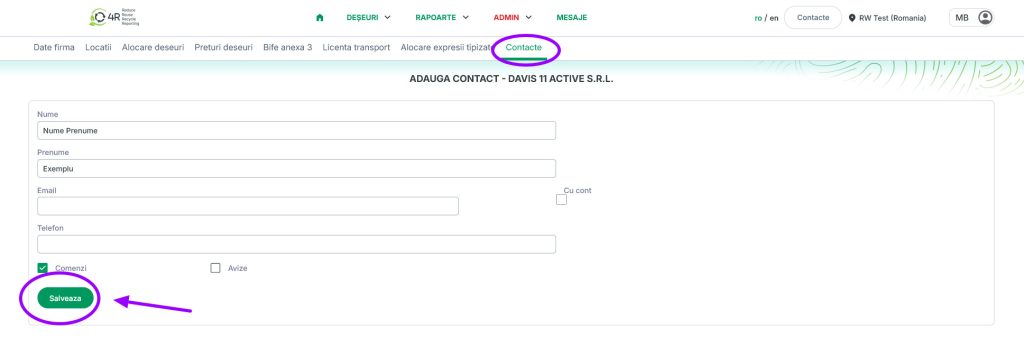
4.8.Add the contact to the Contacts tab, then make sure to save by clicking the Save button.
5.After making any changes, click the Save button to ensure that the added or modified data is saved.