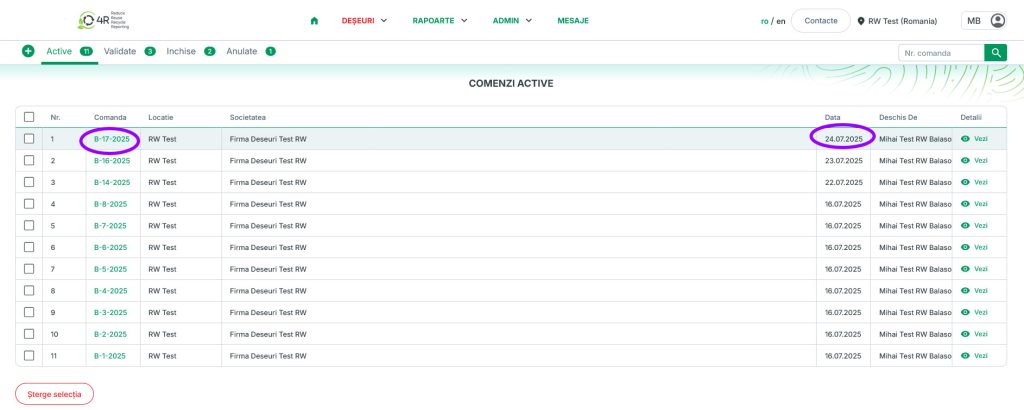
Worker or Company
1. Log in to your account by entering your email and password
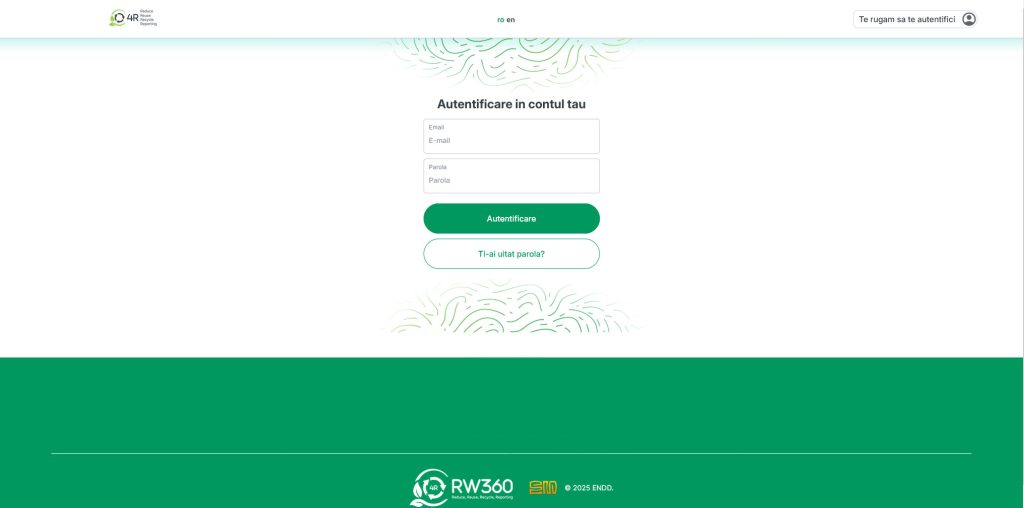
2. Choose the location for which you want to open a new order (if you have more than one location assigned to your profile)

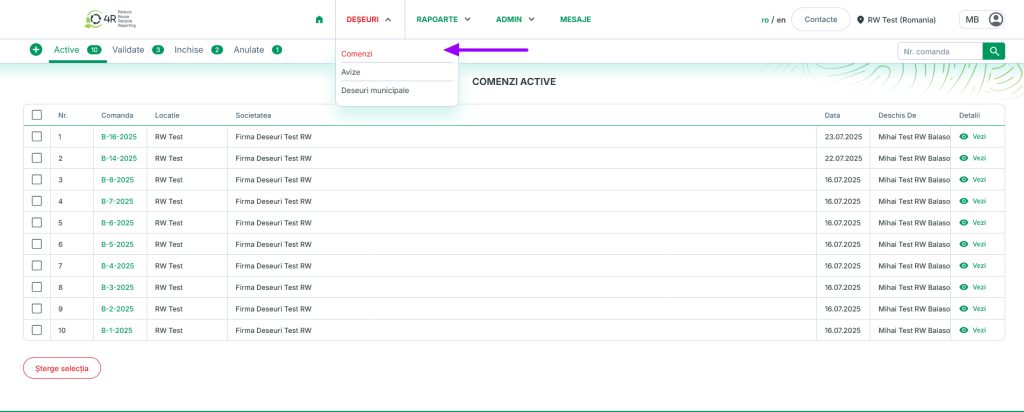
3. From the main menu, under the Waste category, choose Orders (a list of active orders will appear, if they have not been validated)
Please note! If no orders appear in the list, it means there are no active orders — they have already been validated
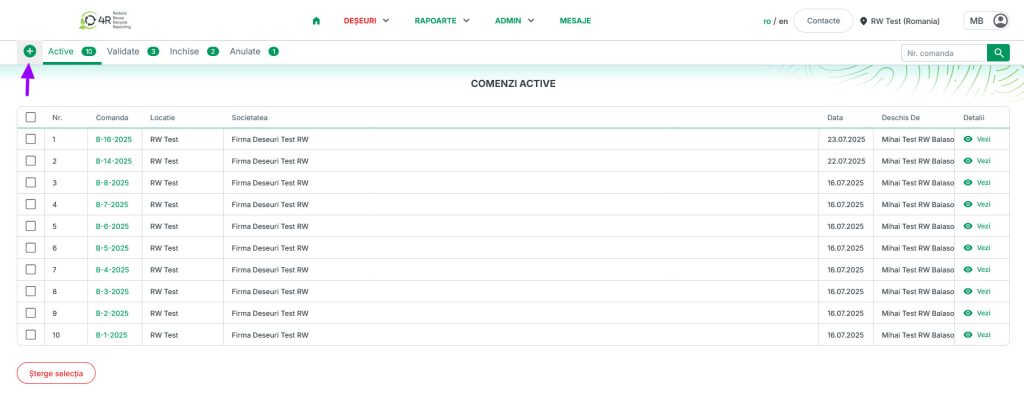
4. Press “+” to place a new order
5. Choose the Collector for this order; once you have selected the collector, the window will expand
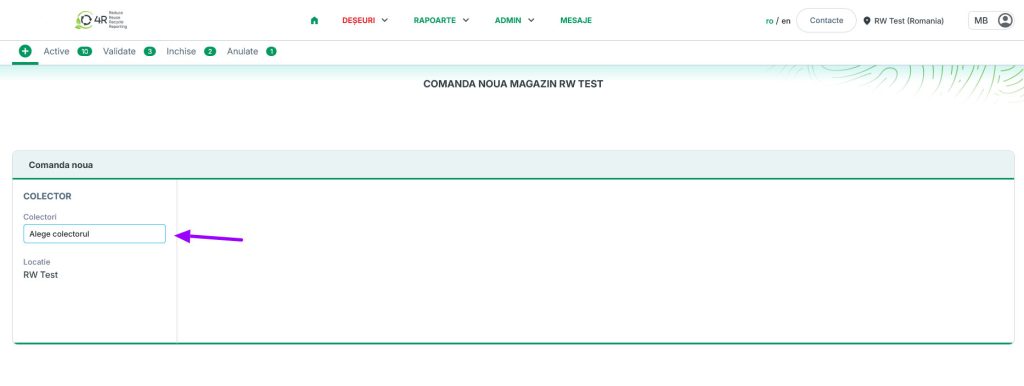
6. Fill in the main details carefully:
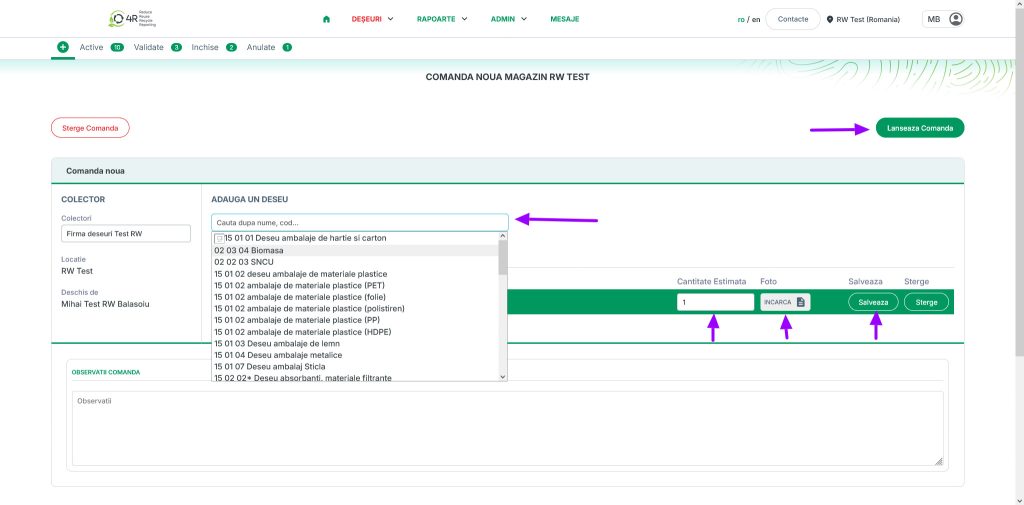
6.1. Add the waste code – the list of waste types available for each collector is displayed when you click the field below the text “Add a waste type”
6.2. Select from the list the waste type you want to add
6.3. Enter the quantity
6.4. Save – in the order notes field you can add further details and observations
6.5. Place the order
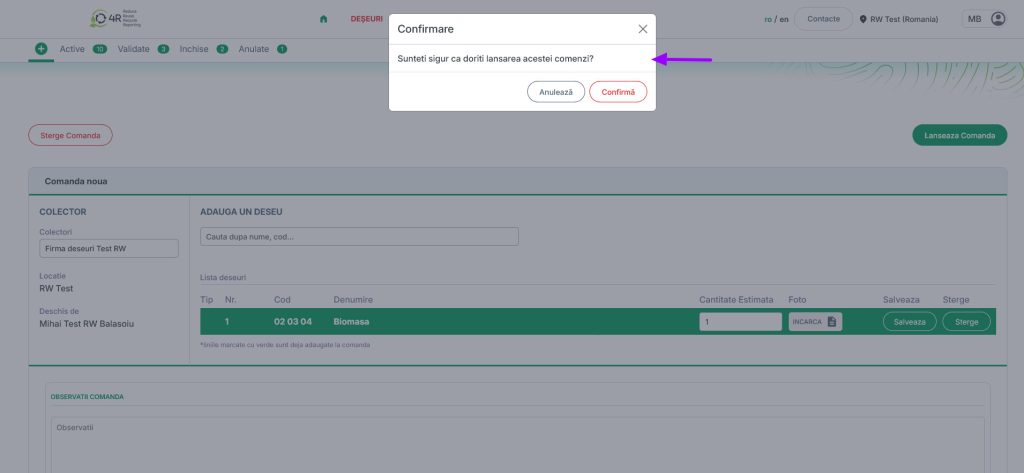
Please note! A pop-up window appears asking you to confirm this order (“Are you sure you want to place this order?”), where you choose one of the 2 options: Cancel or Confirm
7. You can view the list of active orders once you have confirmed the order you sent